
EMBEDDED TREASURY
Your cash. Your bank.
Connected inside your ERP.
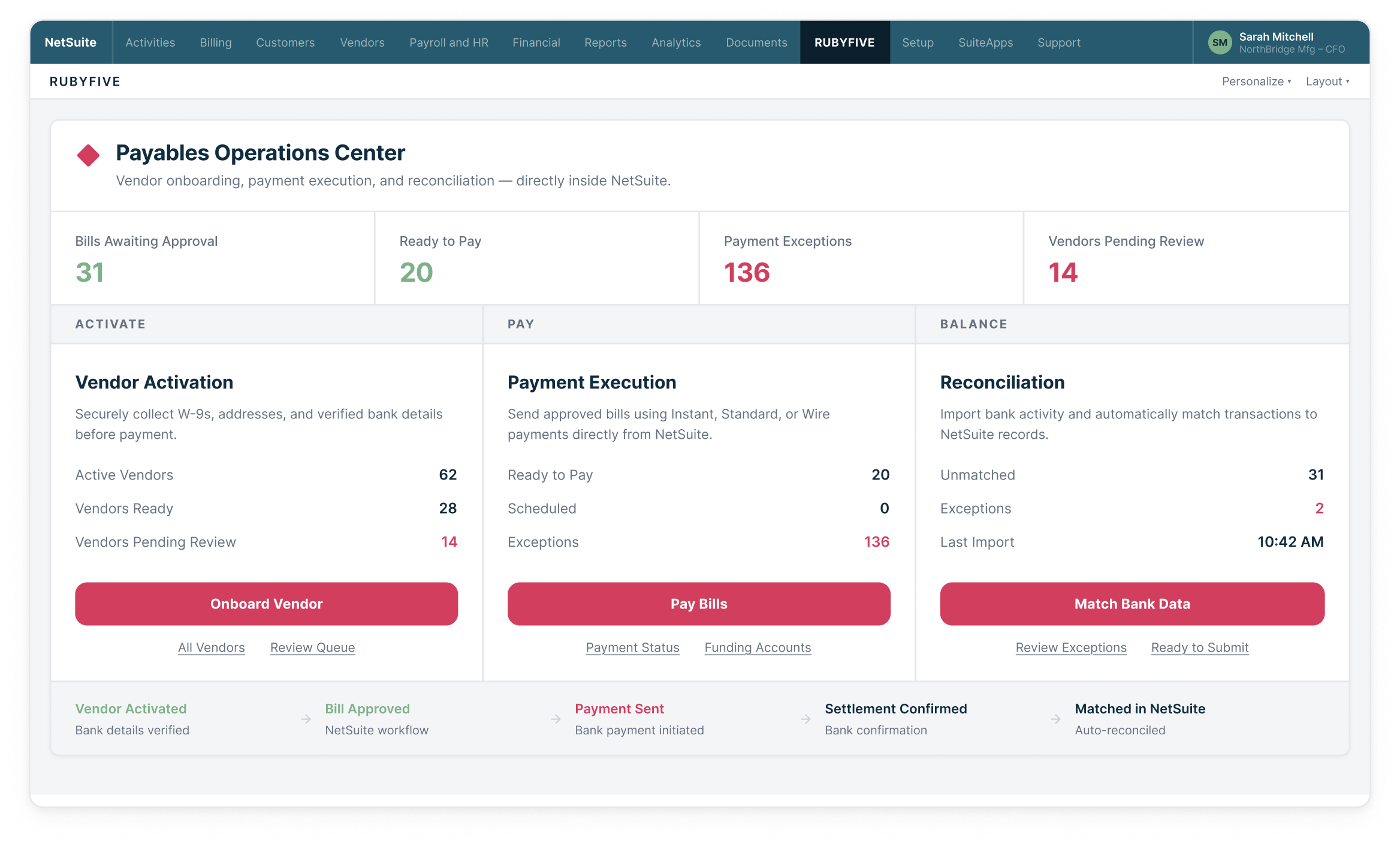
RUBYFIVE connects the information, controls and bank activity around every payment — from vendor setup and approval through execution, status and reconciliation.
Verified vendors · ERP-native controls · Secure bank connectivity
WHY CONNECTED TREASURY
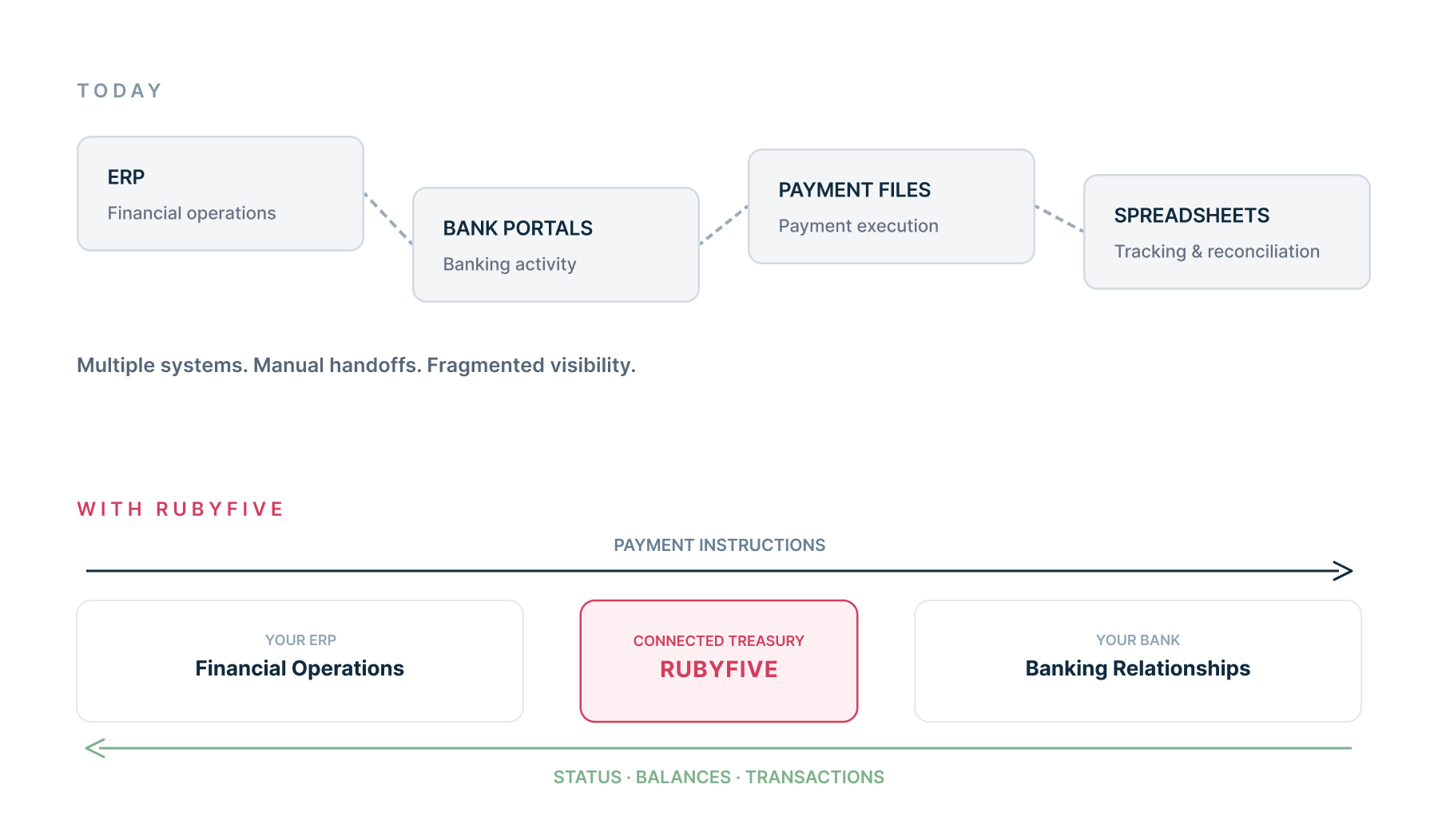
Finance teams still move between ERP workflows, bank portals, payment files and spreadsheets to manage everyday treasury operations.
Your banking shouldn’t live outside your ERP.
RUBYFIVE closes the gap.
CONTROL
01
Make decisions before money moves.
CONNECT
02
Bring your bank into ERP workflows.
RECONCILE
03
Bring bank activity back into the ERP.
ONE CONNECTED PLATFORM
Built for finance teams. Built to extend your bank.
RUBYFIVE connects the financial workflow from vendor readiness and payment decisions through bank execution, payment status and reconciliation — all inside the ERP your finance team already uses.
FOR FINANCE TEAMS
Bring banking into the workflows where your team already works.
Work from the ERP you already use to onboard vendors, control payments, track status and reconcile bank activity — without moving between payment portals.
FOR BANKS
Extend your banking capabilities directly into your customers' ERP.
Bring payments, balances and transaction activity into ERP workflows while keeping your bank at the center of the relationship.
THE PLATFORM
Everything from vendor setup to cash position — connected.
RUBYFIVE connects critical financial workflows inside the ERP—from vendor verification and approval through payment execution, reconciliation and cash visibility.
VERIFY
01
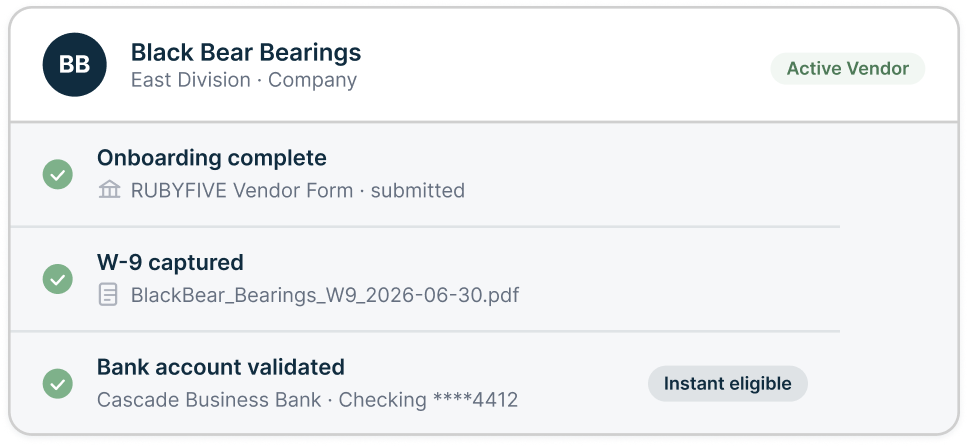
Know who you’re paying.
Securely onboard vendors, verify identity and bank account information, and apply approvals before payment.
PAY
02
Move money from the ERP.
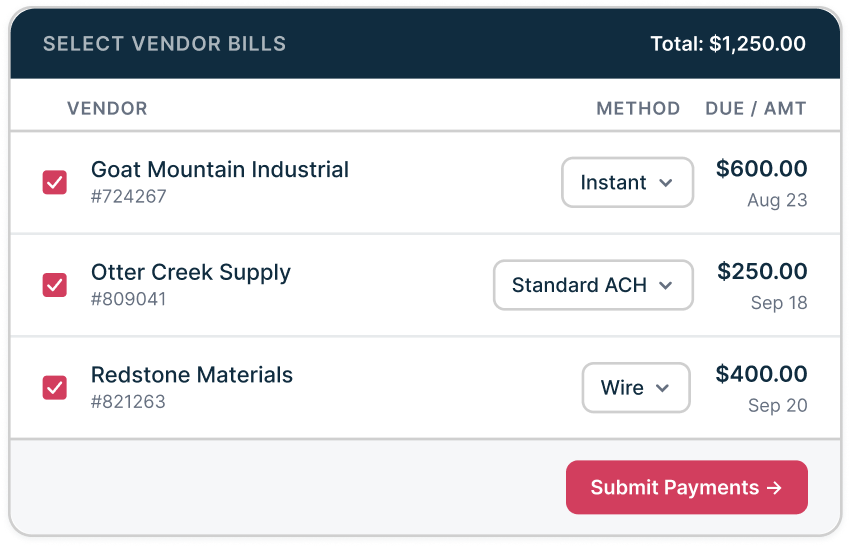
Send approved payments through your bank using instant payments, ACH and wires — without files or another portal
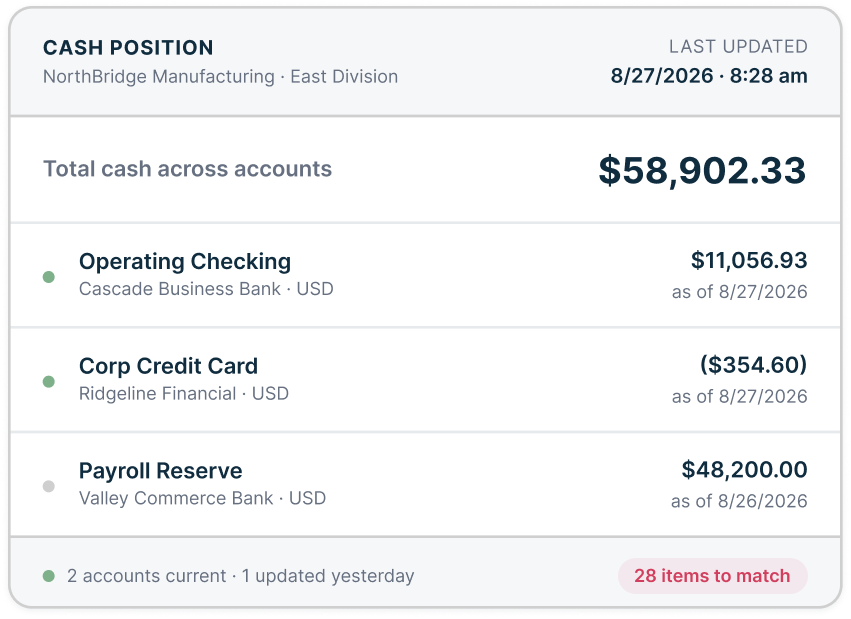
SEE CASH
03
Know where your cash stands.
Connect bank balances and payment activity for a more current view of cash.
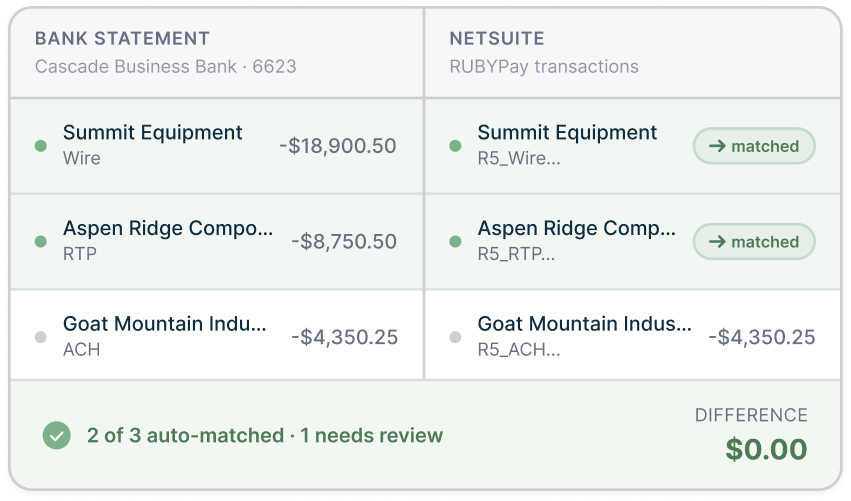
RECONCILE
04
Bring payment status and bank activity back into the ERP, match transactions and surface exceptions while they still matter.
Close the loop automatically.
CONTROL BEFORE MONEY MOVES
Control starts before the payment does.
Moving money is only part of the process. The vendor information, approvals, payment decision, bank execution and financial data around it need to stay connected. RUBYFIVE keeps that workflow together inside your ERP.
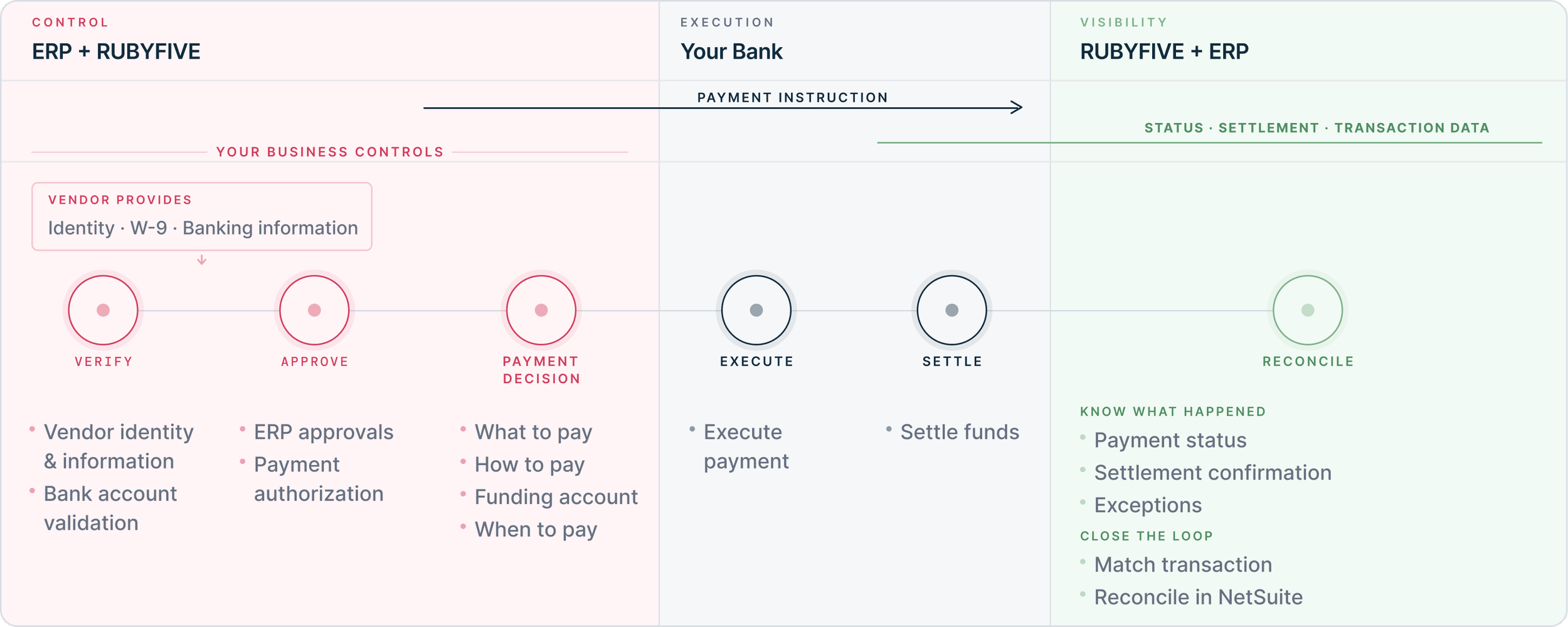
Don't bolt another control onto the process.
Put control inside it.
CASH VISIBILITY
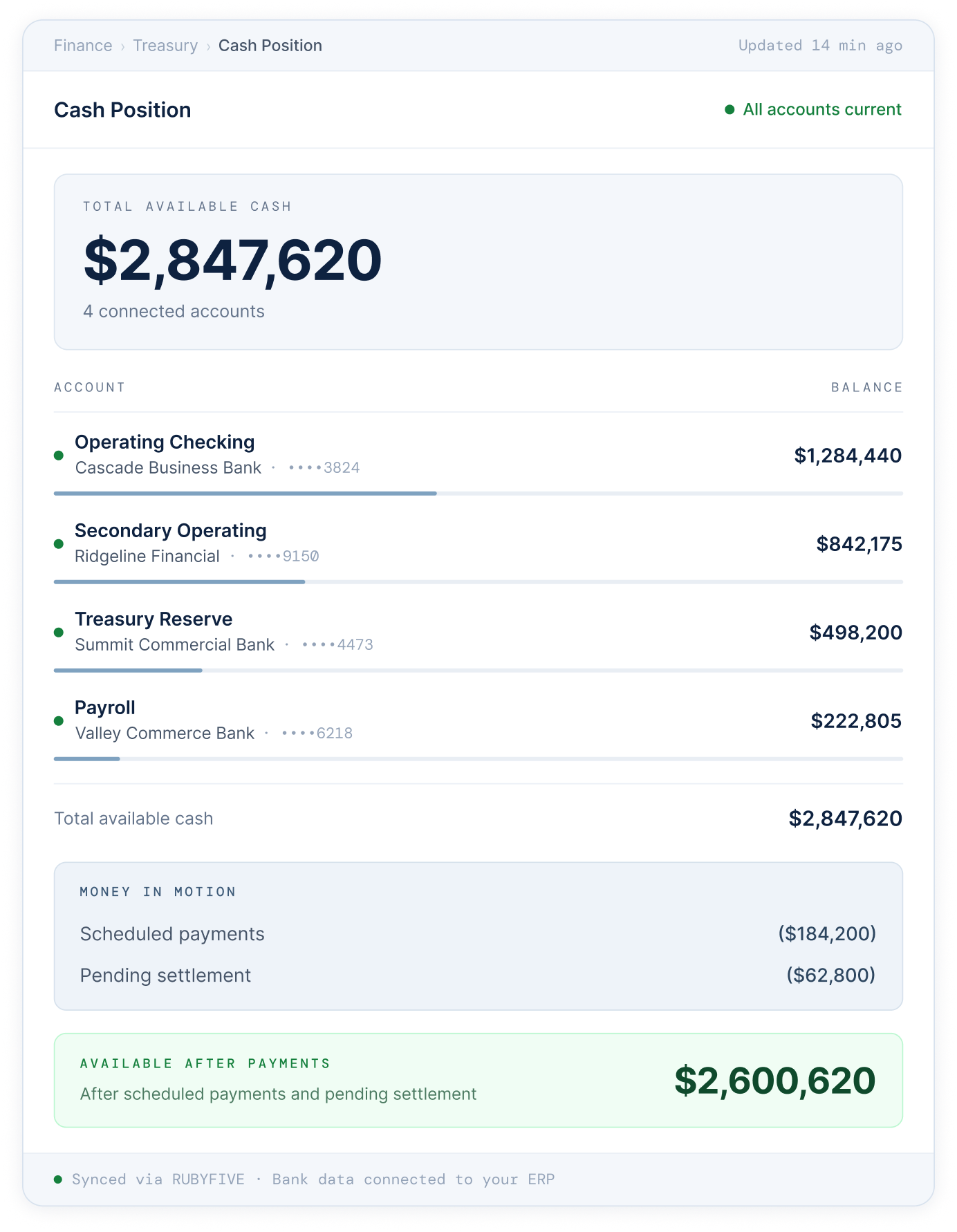
Know where your cash is and what's about to happen to it.
Payment visibility shouldn't start with yesterday's bank statement. RUBYFIVE brings payment status, settlement information and bank activity back into NetSuite so finance teams can see what happened — and what needs attention.
SETTLEMENT VISIBILITY
Know when supported payments have settled without waiting for reconciliation.
PAYMENT STATUS
See payment progress and bank responses inside NetSuite.

BANK ACTIVITY
Bring transaction data back into NetSuite for reconciliation and cash visibility.
EXCEPTIONS
Surface rejected payments and the information needed to investigate and correct them.
Don't wait for the bank statement to find out what happened to a payment.
THE FOUNDATION FOR TRUSTED AI
Trusted payments. Traceable data. A stronger foundation for AI.
AI becomes more useful when it understands the context behind every financial transaction. RUBYFIVE connects payment decisions, approvals, bank responses and reconciliation data — creating a trusted foundation for more intelligent finance operations.
01 / CONTEXT
Know what happened
Connect financial decisions with bank outcomes.
03 / INTELLIGENCE
Surface what matters
Enable future AI-assisted exception investigation and payment insights.
02 / TRACEABILITY
Understand why
Preserve payment identity and control evidence.
04 / READINESS
Build for what’s next
Create the data foundation for future AI capabilities.
BUILT AROUND YOUR BANK
Keep your bank. Bring its capabilities into your ERP.
RUBYFIVE connects your ERP to the banks you already use—sending approved payment instructions and bringing bank responses and transaction activity back into the ERP.
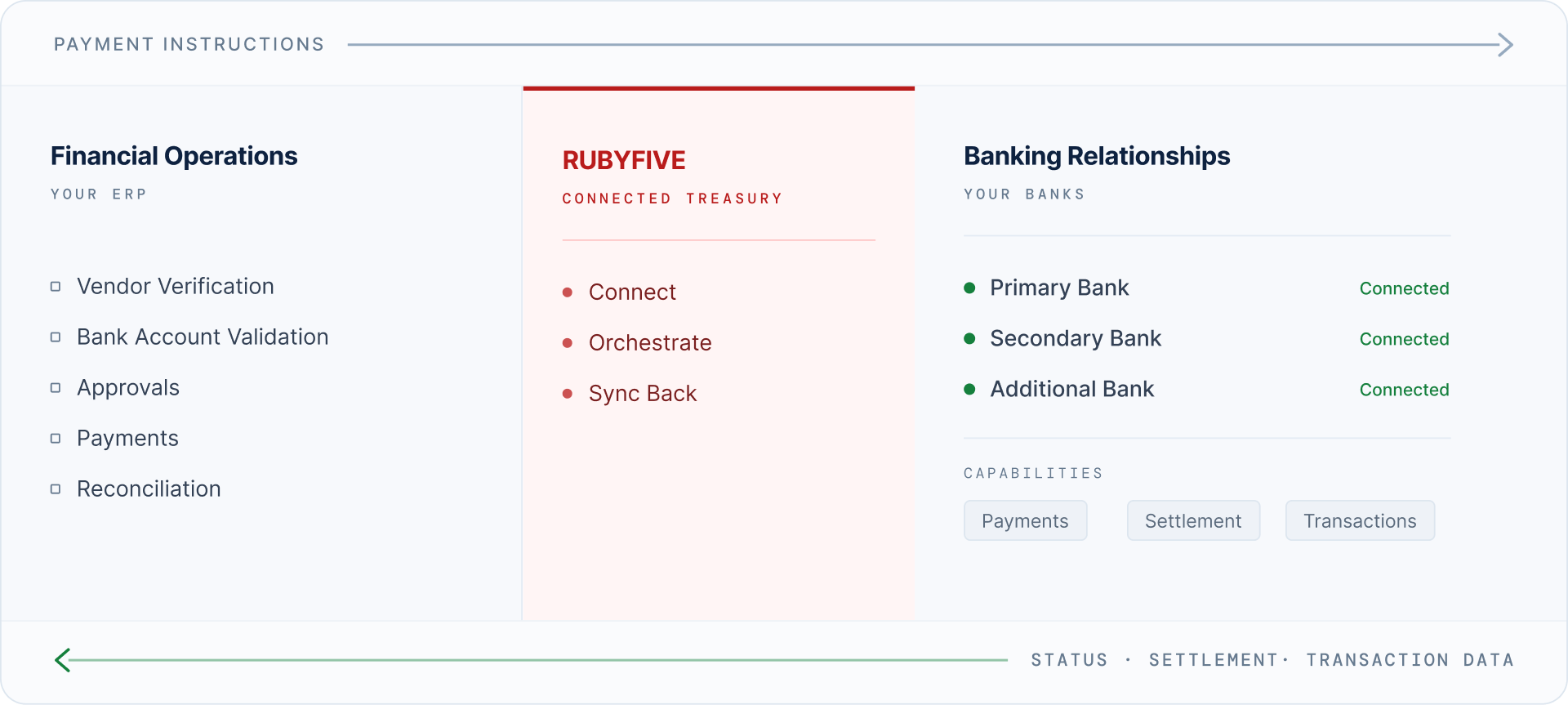
Your ERP remains the operational system. Your bank remains the financial institution. RUBYFIVE connects the two.
One ERP workflow. Multiple banking relationships.
SEE RUBYFIVE IN ACTION
See how RUBYFIVE connects your ERP to the banks you already use.